CRM & pipelines
Find contacts, companies, planning boards, and sales views in the CRM section of your workspace.
Open CRM
Select CRM in the workspace navigation. CRM has its own navigation for customer records and planning views; use it to move between the sections below.
| Section | Use it for |
|---|---|
| Analytics | Review the CRM dashboard. |
| Contacts | Find and work with contact records. |
| Companies | Organize company records. |
| Calendar | Open CRM’s calendar view. |
| Project Kanban | Work with project-oriented planning boards. |
| Sales Pipeline | Follow deals through the sales pipeline. |
| API & MCP | Manage CRM integration access. |
| Settings | Review the CRM settings available to your account. |
Start with the right context
- Check the selected AppStruct workspace before opening CRM.
- Open Contacts or Companies and find the record relevant to your task.
- Use Sales Pipeline for sales work or Project Kanban for project work. These are separate views.
- Return to Analytics when you need an overview of the CRM rather than an individual record.
If you opened a project-specific CRM link, keep that project context in mind while moving between its contacts and deals. A workspace switch and a project selection are different changes of scope.
Follow the interface
Find the right contact, review its lifecycle, and follow deals through Sales Pipeline.
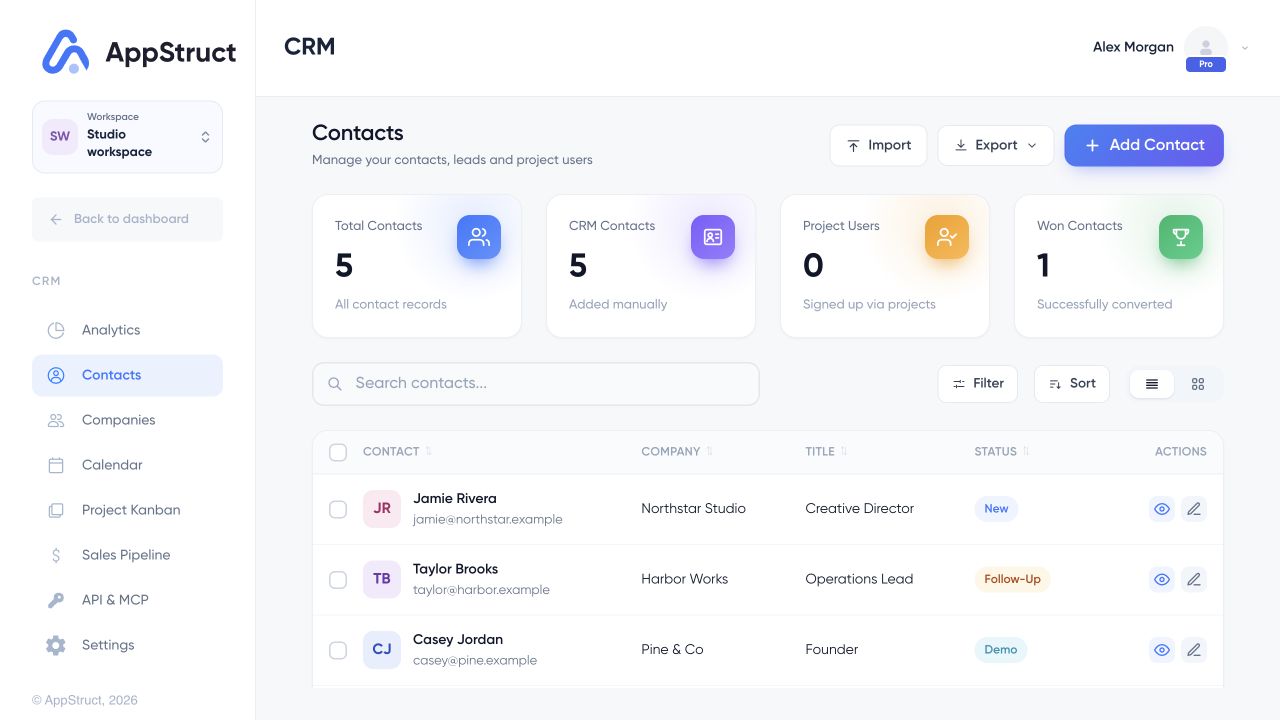
Open CRM, then Contacts. Search the list or add a contact before opening the record you want to work on.
Web interface captured on 5 Nov 2026. People, companies, contact counts, deal values, revenue, and conversion figures are fictional examples, not live customer or sales data.
Connect another tool
Use API & MCP inside CRM for its integration access. CRM keys are separate from Docs, Sheets, and Slides API keys. Removing a workspace member does not automatically revoke an existing CRM API key; review keys explicitly when access changes.
If CRM cannot load
CRM displays an unavailable state when its module cannot open. Check your network connection and try reloading the module. Do not treat an unavailable screen as an empty CRM or create duplicate records to compensate.