SEO & website insights
Review saved website observations, investigate issues, and keep optional search data in context.
Start with a site
Open SEO and choose or create the project for the domain you want to review. Start with Summary, then inspect All pages and the saved crawl information. A report without a saved crawl is not evidence that the website has no issues.
- 01Choose a site
- 02Collect page observations
- 03Review specific issues
- 04Compare after changes
Follow the interface
Check the crawl's coverage, find a saved page, and inspect the measurements behind its findings.
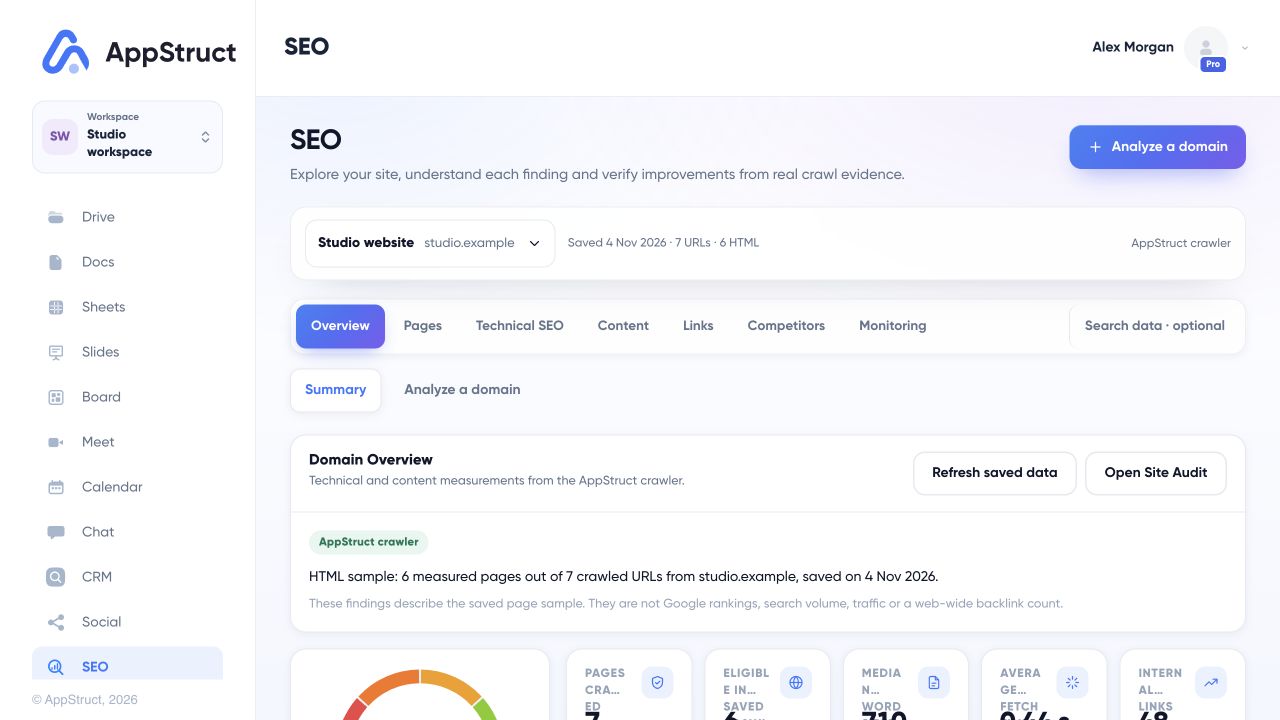
Open SEO, choose the intended site, and check when its data was saved. Read the sample coverage before interpreting a summary.
Web interface captured on 5 Nov 2026. Studio website uses a synthetic saved crawl for studio.example, dated 4 Nov 2026. URLs, page content, counts, scores and measurements are fictional examples, not live crawl results, Google indexing checks, traffic or search rankings.
Find the right report
| Section | What you can inspect |
|---|---|
| Pages | The pages collected for the selected website. |
| Technical SEO | Issues, robots and sitemap, canonical URLs and redirects, structured data, international SEO, and available performance measurements. |
| Content | Metadata and headings, observed phrases, similar pages, images, and social previews. |
| Links | Internal links, outgoing links, and observed referrers. |
| Competitors | Domain comparisons and differences in observed content. |
| Monitoring | Site changes, tracked phrases, and AI Search views. |
| Search data · optional | Search Console and supported external search-data reports. |
Open a specific page or issue to examine its evidence before editing the website. After making a change, collect new observations and compare the results rather than assuming the saved report updated by itself.
Understand where a number comes from
Page observations and search-index metrics answer different questions.
- A site crawl can inspect collected page content, links, headings, metadata, and technical signals.
- Search Console supplies measured search performance for a linked site when its connection is available.
- An optional search-data provider supplies supported market metrics such as search volume, search positions, traffic estimates, and broader backlink coverage.
An observed referrer is not a complete backlink index. A phrase found on a page is not a measured search ranking. When a metric is locked or unavailable, follow the explanation shown for that source.
Read missing-data states carefully
Check the selected domain, saved-crawl date, data source, and connection state. An unavailable provider or empty measurement set should not be interpreted as zero traffic or zero search demand. Performance measurements are optional and may cover only a subset of crawled pages.